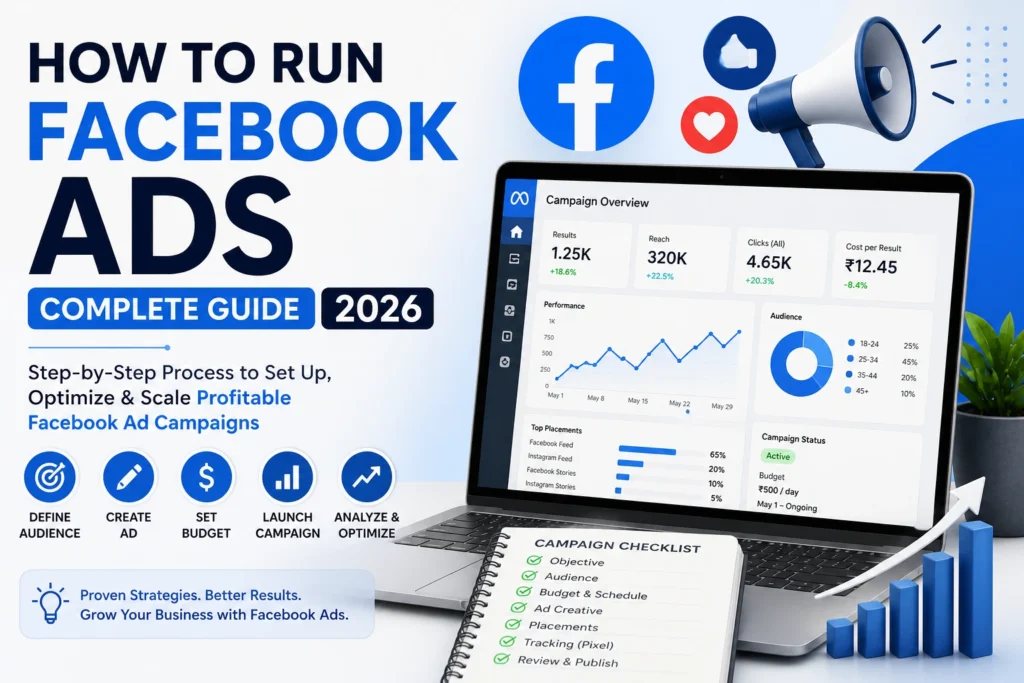
How to Run Facebook Ads — Complete Step-by-Step Guide 2026
From zero to your first profitable campaign — everything you need to set up, launch, and optimise Facebook Ads for your business. By Media Mosiac, India's performance marketing experts.
What Are Facebook Ads & Why They Work in 2026
With over 3.2 billion monthly active users, Facebook remains the most powerful paid advertising platform for businesses of every size. Whether you're a local shop in Delhi, an e-commerce startup in Srinagar, or a national brand — Facebook Ads (now called Meta Ads) give you unmatched ability to put your product or service in front of exactly the right person, at exactly the right time, for a fraction of traditional advertising costs.
At Media Mosiac, we've managed over ₹12 Crore in Facebook Ad spend across 500+ campaigns for businesses across India. In this guide, we're sharing our complete, updated 2026 playbook — from creating your first ad account to scaling campaigns that deliver real, measurable ROI.
Why Facebook Ads in 2026? Unlike SEO which takes months, Facebook Ads can deliver results within 24–72 hours of launch. Unlike Google Ads which targets people already searching, Facebook Ads reach people before they know they need you — making it the most powerful tool for brand discovery and demand generation.
This guide covers the complete process — from account setup to advanced optimisation. If you'd rather have our team handle it for you, explore our Meta Ads Management Services or our Performance Marketing packages.
Step 1 — Set Up Meta Business Suite
Before running any ad, you need the right foundation. Meta Business Suite (formerly Facebook Business Manager) is your central hub for managing your Facebook Page, Ad Account, Instagram, Pixel, and team members.
Create Your Meta Business Suite Account
Go to business.facebook.com → Click "Create Account" → Enter your business name, your name, and business email address. Use a business email (not personal Gmail) for professionalism and account recovery.
Add Your Facebook Page & Ad Account
Inside Business Suite: Go to Settings → Accounts → Pages → Add your existing Facebook page, or create a new one. Then go to Accounts → Ad Accounts → Add your existing ad account or click "Create a new ad account."
When creating a new ad account, you'll need to set: account name, currency (INR for India), time zone, and payment method.
Add Payment Method
Go to Ad Account Settings → Payment Settings → Add a payment method. In India, you can use: Credit Card, Debit Card (Visa/MasterCard), UPI (via Meta's billing), or Net Banking. Meta bills you either when you hit your billing threshold or at the end of the month — whichever comes first.
Important: Set up Two-Factor Authentication (2FA) on your Facebook account immediately. Ad accounts are high-value targets for hackers — enable 2FA under Settings → Security & Login to protect your account and ad budget.
Step 2 — Install the Meta Pixel on Your Website
The Meta Pixel is a tiny piece of JavaScript code you add to your website. It's the single most important technical step before running ads — it tracks visitor behaviour, measures conversions, and powers the most effective audience targeting options.
What the Meta Pixel Does:
- Tracks who visits your website, what pages they view, and what actions they take
- Records conversions — purchases, form submissions, phone calls, add-to-carts
- Builds Custom Audiences (retarget past website visitors)
- Creates Lookalike Audiences (find new people similar to your best customers)
- Powers Conversion Campaigns — the highest-ROI campaign type
- Enables Dynamic Ads — automatically show products people viewed on your site
How to Install the Meta Pixel:
Install via Plugin
Install the "Pixel Cat" or "PixelYourSite" plugin from WordPress.org. Enter your Pixel ID (found in Business Suite → Events Manager → Data Sources). The plugin automatically adds the pixel code to every page — no coding needed. This is exactly what our team at Media Mosiac's website development team sets up for all clients.
Add to Website Header
In Business Suite → Events Manager → Connect Data Sources → Web → get your Pixel code. Paste it in the <head> section of every page on your website. In WordPress, use Appearance → Theme Editor → header.php or a header injection plugin.
Verify Installation: Install the free Chrome extension "Meta Pixel Helper" — it shows a green checkmark on any website where the pixel is correctly installed and firing. Always verify before launching your first campaign.
Step 3 — Choose the Right Campaign Objective
This is the most critical decision in your campaign setup. Your campaign objective tells Facebook's algorithm what result to optimise for — and picking the wrong one is the #1 reason beginner campaigns fail. In 2026, Meta uses 6 primary campaign objectives under the new "Outcome-Based Advertising" (ODAX) structure:
Maximise reach and brand recall. Best for new brands building visibility. Low cost, high impressions.
Drive clicks to your website, app, or WhatsApp. Great for beginners and blog promotion.
Boost post likes, comments, shares and page followers. Build social proof and community.
Collect contact info via Facebook Lead Forms — no website needed. Best for service businesses.
Drive purchases on your website or app. Requires Pixel with conversion events. Best for e-commerce.
Drive installs and in-app actions. Specifically for mobile application businesses.
Media Mosiac Recommendation: If you're just starting out, use Traffic or Leads objectives first. Once your Pixel has collected 50+ conversion events, switch to Sales/Conversions — this is when Facebook's AI optimisation becomes truly powerful and your cost-per-result drops significantly.
Step 4 — Define Your Target Audience
Facebook's targeting is what makes it the most powerful advertising platform in the world. You can define your audience with surgical precision — or use Meta's AI to find the right people automatically. Here are the three audience types you'll use:
🎯 Audience Type 1: Core Audiences (Interest-Based)
Define your audience manually based on:
- Location — Country, state, city, or radius around a pin point (e.g., 10km around Connaught Place, Delhi)
- Age & Gender — Set realistic ranges based on your actual customer data
- Interests — Facebook tracks what pages people like, groups they join, content they engage with (e.g., "Digital Marketing," "Small Business," "Online Shopping")
- Behaviours — Online shoppers, frequent travellers, small business owners, recent home buyers
- Demographics — Education level, job title, relationship status, household income
🔄 Audience Type 2: Custom Audiences (Your Own Data)
- Website Visitors — Everyone who visited your site in the last 30/60/90/180 days (via Pixel)
- Customer List — Upload your existing phone numbers or email list — Meta matches them to Facebook accounts
- Video Viewers — People who watched 25%, 50%, 75%, or 95% of your video content
- Instagram Engagers — People who interacted with your Instagram profile
- Lead Form Openers — People who opened but didn't complete your lead form
🤖 Audience Type 3: Lookalike Audiences (AI-Powered)
The most powerful targeting option. Give Facebook a "source audience" (like your customer list or website buyers) and it finds millions of people who share the same characteristics, behaviours, and interests. Start with a 1–3% Lookalike for highest similarity, expand to 5–10% when scaling.
2026 Strategy Insight from Media Mosiac: In 2026, Meta's Advantage+ audience (formerly Broad Targeting) has become incredibly powerful due to AI improvements. For many campaigns, removing all manual restrictions and letting Meta's algorithm find your audience delivers 20–40% lower cost-per-result than manually restricted targeting. Test both approaches — never assume one is better without data.
Step 5 — Set Your Budget & Schedule
One of the most common questions: "How much should I spend on Facebook Ads?" The honest answer — it depends on your goal, industry, and audience size. Here's a realistic framework for Indian businesses in 2026:
Testing phase. 1–2 ad sets, learning what works. Minimum viable to collect data and exit learning phase.
Consistent lead generation. 3–5 ad sets with proven creatives. Steady, reliable results each month.
Aggressive scaling. Multiple campaigns, Advantage+ Shopping, retargeting funnels. Maximum market penetration.
Daily Budget vs. Lifetime Budget — Which to Choose?
| Feature | Daily Budget | Lifetime Budget |
|---|---|---|
| Spend Control | ~Consistent each day | Total fixed amount |
| Scheduling | Runs continuously | Set start & end date |
| Flexibility | Easy to pause/adjust | Less flexible mid-campaign |
| Best For | Always-on campaigns | Promotions with end dates |
| Minimum (India) | ~₹100/day | ~₹500 total |
| Media Mosiac Pick | ✅ Recommended for beginners | Use for event/offer campaigns |
Critical Budget Rule: Never increase your budget by more than 20% every 3–4 days. Sudden large budget jumps (e.g., ₹500 → ₹5,000 overnight) reset the learning phase and can cause your cost-per-result to spike dramatically. Scale gradually and give the algorithm time to readjust.
Step 6 — Create Your Ad Creative
Your ad creative — the combination of image/video, headline, primary text, and call-to-action — is the single biggest factor determining your ad's performance. In 2026, with Meta's AI optimisation becoming more powerful, creative quality matters more than ever. Two identical campaigns with different creatives can have a 5x difference in cost-per-result.
📐 Facebook Ad Formats & Specs (2026)
| Format | Best Size | Best For | Aspect Ratio |
|---|---|---|---|
| Single Image | 1080×1080px | Brand awareness, offers | 1:1 (Square) |
| Single Video | 1080×1350px | Storytelling, demos | 4:5 (Portrait) |
| Carousel | 1080×1080px each | Product showcase, features | 1:1 |
| Collection | 1200×628px cover | E-commerce catalogues | 1.91:1 |
| Story / Reel Ad | 1080×1920px | Mobile-first, engagement | 9:16 (Vertical) |
| Instant Experience | Full screen | Immersive landing pages | Full Screen |
✍️ Writing High-Converting Ad Copy
- Primary Text (First 125 characters matter most) — Lead with the biggest benefit or a pain point. Hook the reader immediately before the "See More" truncation cuts off.
- Headline (27 characters visible on mobile) — Your clearest, most compelling value proposition. Use numbers, urgency, or a direct benefit (e.g., "Get 3x More Leads with Meta Ads")
- Description — Reinforce the offer, add social proof, or include a secondary benefit
- Call-to-Action Button — Match to your objective: "Learn More" (awareness), "Get Quote" (leads), "Shop Now" (sales), "Book Now" (appointments)
- Use emojis sparingly — 1–2 relevant emojis in primary text increase CTR by 15–25% on average
Creative Best Practice from Media Mosiac: Always create 3–5 different creatives per ad set — different images or videos with the same copy, or same creative with different copy. Let Facebook's Dynamic Creative or A/B testing feature find your winner automatically. Our campaigns consistently see one creative outperform others by 200–400% — you'll never know which one until you test.
Step 7 — Review & Launch Your Campaign
Before hitting "Publish," go through this pre-launch checklist to avoid wasting budget on fixable errors:
Campaign Level Review
- Campaign objective matches your actual business goal
- Campaign budget optimisation (CBO) is set correctly if using multiple ad sets
- Special Ad Categories declared if relevant (housing, employment, credit, politics)
- A/B test enabled if you want to test variables
Ad Set Level Review
- Audience size is between 500K–5M (not too narrow, not too broad)
- Location targeting is correct — city, state, or country level as needed
- Daily budget is correctly set
- Ad scheduling is correct (run all the time vs. specific hours)
- Conversion event is set to the right Pixel event (Purchase, Lead, etc.)
- Placement is set to "Advantage+ Placements" (recommended) or manually selected
Ad Level Review
- Preview your ad on Mobile News Feed, Instagram, and Stories — looks good on all?
- Destination URL is correct and loads fast (use PageSpeed Insights to check)
- Headline is compelling and truncates correctly on mobile
- CTA button matches the landing page action
- No spelling errors in any ad copy
- Facebook Page is selected correctly (not a competitor's page!)
After Submission: Facebook reviews all ads before they go live — this usually takes 15 minutes to 24 hours. If your ad is disapproved, check the reason in Ads Manager and either edit the ad or submit a review request. Common disapproval reasons: misleading claims, prohibited content (before/after images), too much text on image.
Step 8 — Monitor, Analyse & Optimise
Launching the campaign is just the beginning. The difference between brands that waste money on Facebook Ads and brands that achieve 5–10x ROAS is what happens after launch — systematic monitoring and data-driven optimisation.
📅 Optimisation Schedule (What to Do & When)
| Frequency | What to Check | Action to Take |
|---|---|---|
| Daily | Spend, CPL/CPA, delivery status | Pause if spend spikes unexpectedly; check for ad disapprovals |
| Every 3 Days | CTR, CPC, frequency | Kill low CTR ads; refresh creative if frequency exceeds 3 |
| Weekly | ROAS, cost per lead, top audiences | Scale winning ad sets; pause underperformers below target CPA |
| Bi-Weekly | Creative performance, new audiences | Test new creatives; explore new audience interests |
| Monthly | Full campaign review, attribution | Restructure campaigns; update strategy based on trends |
The #1 Optimisation Mistake: Making changes too frequently. When you edit an ad set (budget, audience, creative), it resets the learning phase. Give any new ad set at least 7 days and 50 conversion events before judging its performance or making significant changes. Patience during the learning phase is not optional — it's required.
Key Facebook Ad Metrics to Track in 2026
Don't drown in data — focus on these 10 metrics that actually tell you whether your campaigns are working:
| Metric | What It Measures | Good Benchmark (India) |
|---|---|---|
| CTR (Link) | % who clicked your ad link | 1%–3% (above 2% = great) |
| CPC (Link) | Cost per link click | ₹3–₹15 (varies by industry) |
| CPM | Cost per 1,000 impressions | ₹50–₹300 |
| Frequency | Avg. times same person saw ad | 1.5–3x (above 4 = refresh) |
| CPL | Cost per lead generated | ₹50–₹500 (niche-dependent) |
| CPA | Cost per conversion/purchase | Less than 30% of product value |
| ROAS | Revenue per ₹1 of ad spend | 3x+ (profitable at 2x+) |
| Relevance Score | Quality + Engagement ranking | "Above Average" or "Top" |
| Video ThruPlay | % who watched 15+ seconds | Above 20% is strong |
| Landing Page CVR | % of clicks that converted | 2%–5% (above 3% = strong) |
8 Common Facebook Ad Mistakes to Avoid
After auditing hundreds of failing ad accounts, our team at Media Mosiac sees the same mistakes repeatedly. Avoid these before they drain your budget:
Running ads without the Pixel is like driving blindfolded. You can't track conversions, build retargeting audiences, or use the most powerful campaign objectives. Install it before spending a single rupee.
Audiences below 200,000 restrict Facebook's algorithm from finding the best converters. In 2026, broader targeting + strong creative outperforms hyper-narrow targeting in most industries.
One creative gives you no data to compare against. Always test at least 3–5 different images or videos simultaneously. Creative testing is the fastest way to reduce your cost-per-result.
Every significant edit resets the learning phase and forces Facebook's algorithm to start over. Set your campaign, wait 7+ days, then make data-driven adjustments. Impatience is the #1 budget killer.
If your landing page takes more than 3 seconds to load on mobile, you're losing 50%+ of your clicks before they even see your offer. Use Google PageSpeed Insights — aim for a score above 80 on mobile.
Running a "Traffic" campaign when you want sales means Facebook shows your ad to people who click — not people who buy. Match your objective to your actual business goal, not just what seems cheapest.
When the same person sees your ad 5+ times, they become "ad blind" — CTR drops and CPM rises. Monitor frequency and refresh your creative or expand your audience before it climbs above 4.
Website visitors, video viewers, and past engagers are 3–5x more likely to convert than cold audiences. A retargeting campaign targeting people who visited your pricing page but didn't convert is often your highest-ROAS campaign. Don't neglect it.
Need an Expert Eye on Your Campaigns? Our team at Media Mosiac offers a free Facebook Ads audit — we'll review your current campaigns, identify exactly what's costing you money, and recommend a concrete action plan. Book your free audit here →
Let Media Mosiac Run Your Facebook Ads — While You Run Your Business
We've managed ₹12Cr+ in Meta Ad spend across 500+ campaigns. Let our certified team build, launch, and scale your Facebook Ads for maximum ROI — with full transparency and no long-term lock-in.
Frequently Asked Questions
Conclusion — Your First Facebook Ad Starts Today
Running Facebook Ads in 2026 is both an art and a science. The platform has never been more powerful — Meta's AI optimisation, Advantage+ campaigns, and cross-platform delivery across Facebook, Instagram, WhatsApp, and Messenger give small businesses access to advertising capabilities that were unimaginable a decade ago.
But power without knowledge wastes money. The 8 steps in this guide — from setting up Meta Business Suite and installing the Pixel, to choosing the right objective, defining your audience, crafting compelling creatives, and optimising based on real data — form the complete foundation for profitable Facebook advertising.
Start small, test everything, be patient during the learning phase, and scale only what works. If at any point you'd prefer a certified expert team to build and manage your campaigns while you focus on your business — Media Mosiac's Meta Ads team is here to help. You can also explore our Social Media Marketing packages, SEO services, and full performance marketing solutions for a complete digital growth strategy.
Media Mosiac is a certified Meta Business Partner and performance-driven digital agency based in Delhi & Srinagar. With 6+ years of experience, ₹12Cr+ in managed ad spend, and 500+ campaigns across industries, we specialise in Meta Ads, Social Media Marketing, SEO, and Performance Marketing for businesses across India. About us →